
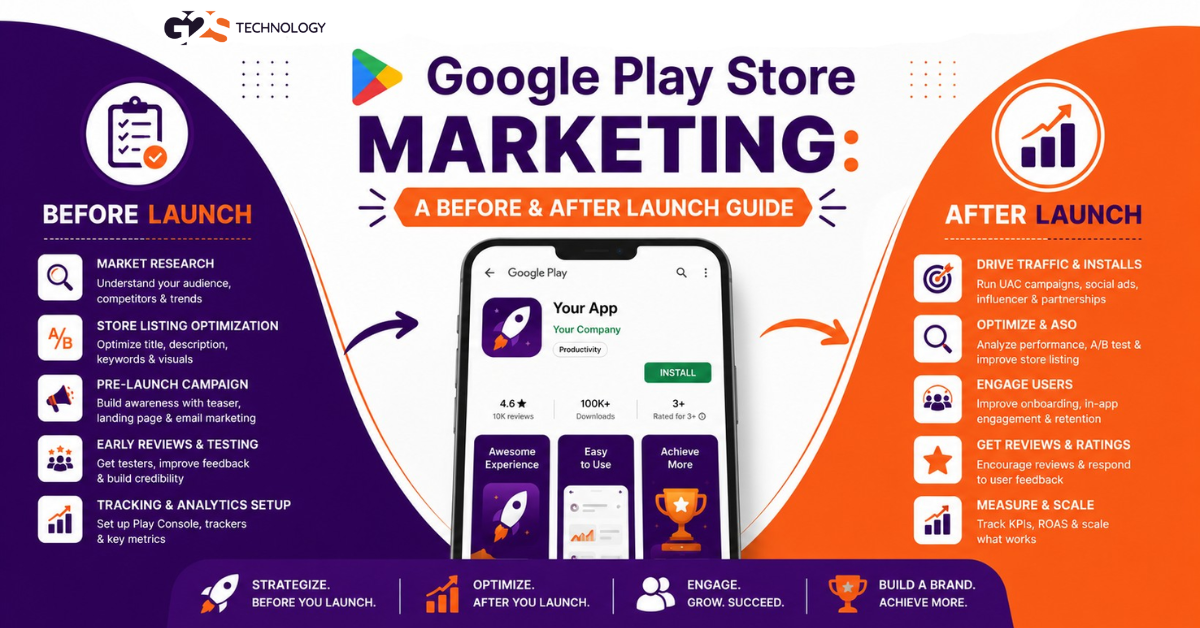
Most apps get fewer than 1,000 downloads in their first year. The difference between an app that grows and one that disappears is rarely the code; it is the marketing.
In this guide, you will learn exactly how to do Google Play Store marketing both before and after launch. We have shaped this from 100+ business conversations our team has had with founders and startups shipping apps. No fluff. Just a clear plan for each stage of your launch.
What Is Google Play Store Marketing?
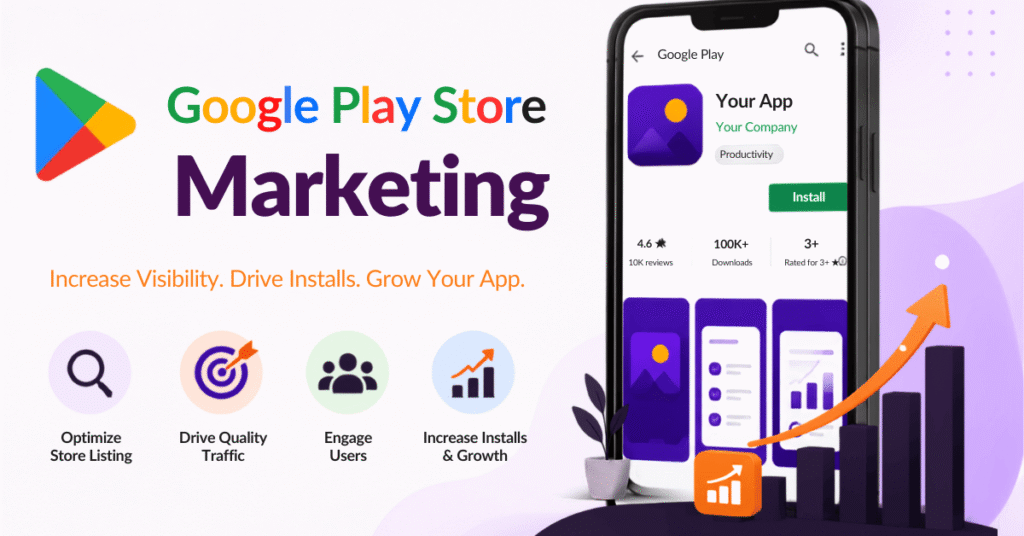
Google Play Store marketing is the set of activities used to make an Android app discoverable, attractive, and downloadable on the Play Store. It spans your store listing, app store optimisation, paid ads, and ongoing promotion.
Why it matters: the Play Store hosts millions of apps, so visibility is not automatic. Without marketing, even a great app stays buried. With it, you reach the exact users searching for what you built.
The smart way to think about this is in two phases. What you do before launch sets the stage, and what you do after launch keeps the momentum going. We will cover both. If you are launching a game specifically, pair this with our guide on promoting an Android game app.
Part A: Marketing Before You Launch
Great launches are won in the weeks before they go live. Get these foundations right and everything after becomes easier.
1. Ship a Polished, Error-Free App
Marketing cannot save a buggy app. Test thoroughly, fix crashes, and make sure the experience is smooth on a range of devices.
Pay equal attention to design. A clean interface with a clear purpose keeps users around long enough to convert. Solid app development is the foundation every campaign builds on.
2. Build a Professional Store Listing
Your store listing is your shop window. Three elements do most of the heavy lifting:
- App name: clear, memorable, and relevant to your niche.
- Icon and screenshots: high-quality visuals that show what the app does, ideally telling a story across the screenshots.
- Description: a compelling, keyword-aware summary of the value you offer.
Every detail signals quality. A polished listing earns trust before the first tap.
3. Do App Store Optimisation (ASO)
App Store Optimisation (ASO) is the process of improving your store listing so it ranks higher for relevant searches and converts more visitors into installs. It is the SEO of the app world.
Good ASO delivers:
- Greater visibility for your target keywords.
- More organic, no-cost downloads.
- Higher revenue and conversion rates.
For a deeper walkthrough, see our guide on how to do app store optimisation, or let our ASO team handle it.
4. Research Keywords With Google Tools
Smart keyword research tells you what your audience actually searches for. Google gives you free tools to find out:
- Google Search autocomplete: see real, related queries as you type.
- Google Keyword Planner: (inside Google Ads) reveals search volume and regional demand.
- Google Trends: spot rising topics tied to your app.
Mix short and long-tail keywords across your listing. Our guide on choosing the right long-tail keywords helps you find the high-intent ones.
5. Run Pre-Registration and Testing
This is where modern launches pull ahead. The Google Play Console lets you open pre-registration so users can sign up before launch, then auto-install on day one.
Use closed and open testing tracks to gather feedback and fix issues with real users first. A wave of day-one installs from pre-registration also signals strong demand to the Play Store, which can boost early visibility.
Part B: Marketing After You Launch
Launch day is the start, not the finish. These channels keep installs climbing and build a lasting audience.
1. Create Buzz on Social Media
Announce your launch across your social platforms and keep the conversation going. Share how-to guides, tips, updates, and behind-the-scenes clips to stay top of mind.
Short video and live sessions work especially well for engagement. Our social media marketing team can run this for you if bandwidth is tight.
2. Send Out Press Releases
A well-written press release turns your launch into news. Include links to your website and Play Store listing so interested readers can install right away.
Target outlets and journalists who cover your category. Genuine coverage builds both awareness and credibility.
3. Do Creator and Blogger Outreach
Reaching out to trusted bloggers and creators in your niche drives qualified traffic to your listing. Their audiences already care about your topic.
Each honest review or feature also builds authority and referral installs. Focus on relevance over reach; a niche creator often converts better than a huge generic one.
4. Invest in SEO and Content
SEO brings free, ongoing traffic to a website or landing page that promotes your app. The higher you rank, the more organic visitors you earn over time.
Pair it with helpful content like guides and FAQs that answer what your users search for. Explore our SEO services and content marketing to build this engine.
5. Earn Reviews and Ratings
Ratings shape both rankings and trust. Prompt happy users to rate the app at a natural moment, and respond to feedback to show you are listening.
A note on trust: avoid buying fake reviews or paying for installs to game the charts. Google Play prohibits this and can remove your app. Genuine ratings and steady engagement are what move the needle safely.
6. Run Store Listing Experiments
Google Play lets you A/B test your icon, screenshots, and description through store listing experiments. Small changes can lift your install rate noticeably.
Test one element at a time, keep the winner, then test the next. Over a few cycles, this compounds into a much stronger listing.
7. Scale With Google App Campaigns
Google App campaigns (formerly Universal App Campaigns) use machine learning to promote your app across Search, Play, YouTube, and the Display Network. You set a goal and budget, and Google optimises for installs or in-app actions.
This is the most scalable paid channel for most apps. Our Google Ads management team can set it up to hit your cost-per-install targets.
Useful Google Play Marketing Resources
To round out your toolkit, these official resources are worth bookmarking:
- Android Developers marketing tools for listings and growth.
- Google Ads App campaigns help for paid acquisition.
- Wikipedia overview of app store optimisation for the fundamentals.
Official sources keep you aligned with current policy, which protects your app from penalties.
Final Thoughts
Strong Play Store marketing is a sequence, not a single push. Nail the foundations before launch, then keep promoting steadily after. The apps that win treat marketing as ongoing work, not a one-time event.
Pick a few tactics from each phase, measure what works, and double down. Consistency beats intensity every time.
FAQ Section
What is Google Play Store marketing?
Google Play Store marketing is the set of activities that make an Android app discoverable and downloadable on the Play Store. It includes your store listing, app store optimisation, paid ads, and ongoing promotion. The goal is more visibility and more installs.
How do I market my app before launch?
Before launch, ship a polished app, build a professional store listing, and do app store optimisation. Research keywords with Google tools, and open pre-registration plus testing tracks. These steps create early demand and a strong day-one install wave.
What is ASO and why does it matter?
ASO, or App Store Optimisation, is the process of improving your store listing so it ranks higher and converts more visitors into installs. It covers your title, keywords, icon, screenshots, and description. Good ASO brings steady organic downloads at no cost per install.
How can I get more app downloads after launch?
After launch, create social media buzz, send press releases, and reach out to creators and bloggers. Invest in SEO and content, earn genuine reviews, and scale with Google App campaigns. A mix of organic and paid channels works best.
Should I pay for reviews or installs?
No. Buying fake reviews or paying for installs to manipulate rankings violates Google Play policy and can get your app removed. Focus on prompting genuine ratings, responding to feedback, and earning honest coverage instead.
What is app pre-registration on Google Play?
Pre-registration lets users sign up for your app before it launches, and it can auto-install on release day. It builds early interest and a burst of day-one installs. That early demand can also improve your app’s visibility in the store.
What is a Google App campaign?
A Google App campaign uses machine learning to promote your app across Search, Google Play, YouTube, and the Display Network. You provide assets and a budget, and Google optimises for installs or in-app actions. It is one of the most scalable paid channels for apps.