
When mobile load time goes from 1 second to 10 seconds, the chance a visitor bounces jumps by 123% — according to Google’s own research. That single stat explains why page speed sits near the center of modern SEO.
This guide explains what page speed actually is, how it affects SEO and Google rankings in 2026, and seven proven ways to make your site faster. No filler — just what matters and how to fix it.
What Is Page Speed?
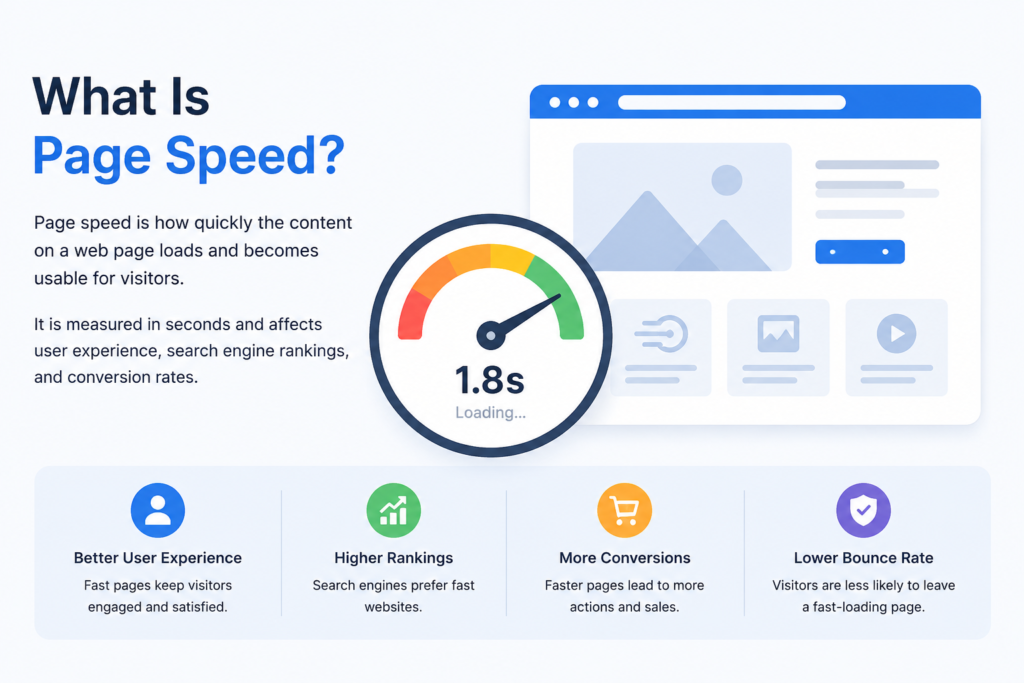
Page speed is the time it takes for a single web page to load its content fully and become usable. It is often confused with site speed, which is the average load time across many pages. Google evaluates individual pages, so page speed is the metric that matters most for ranking.
Think of it as a performance meter for the experience you deliver: how quickly a visitor can see, read, and interact with your content after they click.
Does Page Speed Affect SEO and Google Rankings?
Yes — page speed affects SEO both directly and indirectly. Directly, Google confirmed page experience signals, including Core Web Vitals, as official ranking factors in 2021. Indirectly, slow pages increase bounce rate and reduce time on site, which weakens the engagement signals search engines observe.
Here’s the nuance worth stating honestly speed is usually a tiebreaker, not a trump card. When two pages have similar content quality, relevance, and authority, the faster one tends to win. Speed cannot rescue weak content — a blank page loads instantly and still ranks nowhere.
Mobile speed deserves extra attention. With Google’s mobile-first indexing, Google primarily uses the mobile version of your site to rank pages, so strong desktop speed alone won’t compensate for a slow mobile experience.
Core Web Vitals: How Google Measures Speed Today
Core Web Vitals are three metrics Google uses to measure real-world user experience. They replaced simple “load time” because a page can technically load fast yet still feel slow if it’s unresponsive or visually unstable.
- LCP (Largest Contentful Paint): perceived loading — target under 2.5 seconds.
- INP (Interaction to Next Paint): responsiveness — target under 200 milliseconds.
- CLS (Cumulative Layout Shift): visual stability — target below 0.1.
To pass, three out of four real visits must meet these thresholds. You can read the official definitions in Google’s Core Web Vitals documentation.
How to Measure Your Page Speed
Before fixing anything, benchmark where you stand. Two widely used free tools are Google Page Speed Insights and GTmetrix. The most reliable picture comes from combining lab data (controlled tests) with field data (real user experiences) from Google Search Console.
Start with Google PageSpeed Insights — it reports your Core Web Vitals and lists specific opportunities to improve.
7 Proven Ways to Improve Your Page Speed
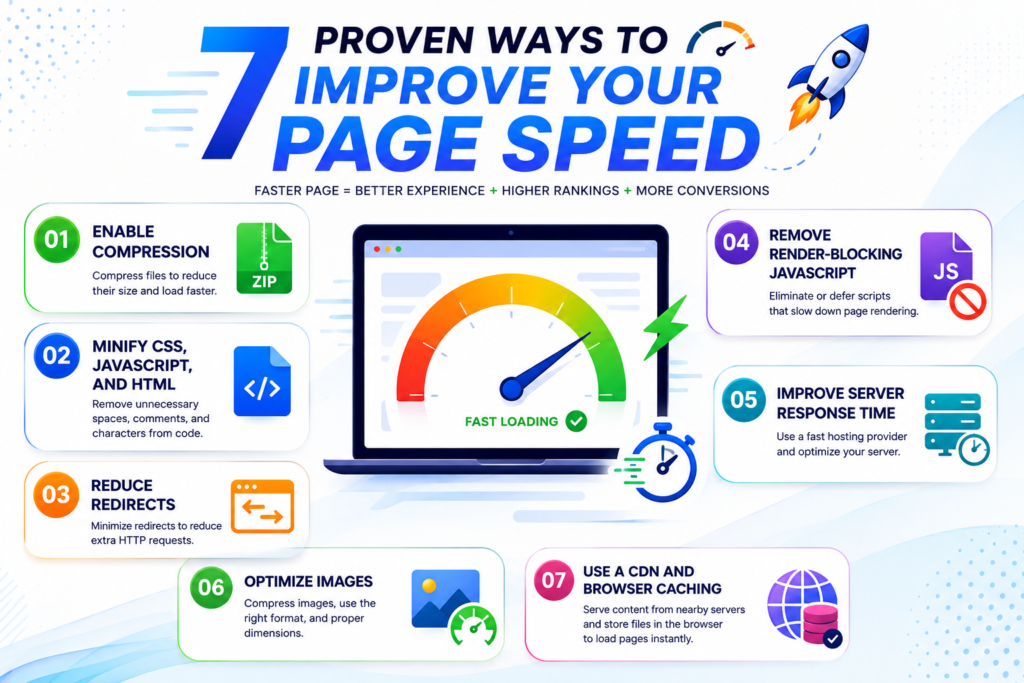
These fixes carry over from the fundamentals and still work in 2026. Apply them in order of impact for your site.
1. Enable Compression
Use Gzip or Brotli compression to shrink CSS, HTML, and JavaScript files before they’re sent to the browser. This reduces transfer size significantly with no visible change for users.
2. Minify CSS, JavaScript, and HTML
Minification removes unnecessary characters — spaces, commas, comments — from your code. Smaller files parse and load faster, which directly improves load time.
3. Reduce Redirects
Each redirect forces an additional HTTP request and makes the visitor wait longer before content appears. Audit and remove redirect chains wherever possible.
4. Remove Render-Blocking JavaScript
Scripts that block rendering delay the moment users see content. Defer non-critical Java Script and load it asynchronously so the page becomes visible faster.
5. Improve Server Response Time
Slow database queries, inefficient routing, or insufficient hosting resources all raise server response time. Choose quality hosting and fix performance bottlenecks at the source.
6. Optimize Images
Images are often the heaviest part of a page. Compress them, serve modern formats like WebP, size them correctly for each device, and combine small repeated graphics (icons, buttons) efficiently.
7. Use a CDN and Browser Caching
A content delivery network serves files from servers near each visitor, cutting distance-related delay. Browser caching lets returning visitors reload pages without re-downloading unchanged assets.
Why Speed Matters Beyond Rankings
Faster pages don’t just rank better — they convert better. Research by Google and Deloitte found that improving mobile load times by just 0.1 seconds lifted retail conversion rates by 8.4% and average order value by 9.2%.
The honest takeaway: speed supports your SEO strategy, it doesn’t replace it. Pair fast performance with strong, relevant content. For the content side, see our SEO services, explore our digital marketing services, or read our related guide on on-page SEO factors.
FAQ Section
Is page speed a Google ranking factor?
Yes. Google confirmed page experience signals, including Core Web Vitals, as official ranking factors in 2021. It is typically a tiebreaker between pages of similar quality rather than the single most powerful factor.
What is a good page speed score?
On Page Speed Insights, a score of 90 or above is generally considered good. However, passing Core Web Vitals (a green “Pass”) matters more for rankings than the single score, since those metrics reflect real-user experience.
How fast should a website load?
Aim for a Largest Contentful Paint under 2.5 seconds and overall load times under about 3 seconds on mobile. Faster is better, especially on mobile networks where users have less patience.
Does page speed matter more on mobile or desktop?
Mobile. Because Google uses mobile-first indexing, it primarily evaluates the mobile version of your site. Strong desktop speed will not compensate for a slow mobile experience.
What are Core Web Vitals?
Core Web Vitals are three metrics Google uses to measure user experience: LCP (loading), INP (responsiveness), and CLS (visual stability). Pages that pass all three have a measurable advantage when content quality is comparable.
What tools can I use to check page speed?
Google PageSpeed Insights and GTmetrix are popular free options. Google Search Console shows real-user Core Web Vitals data, and Lighthouse (built into Chrome) helps diagnose deeper technical issues.
Can fast page speed alone improve my rankings?
Not on its own. Speed is a prerequisite and a tiebreaker, but it cannot replace quality content and authority. The best results come from combining fast performance with genuinely helpful, relevant content.