
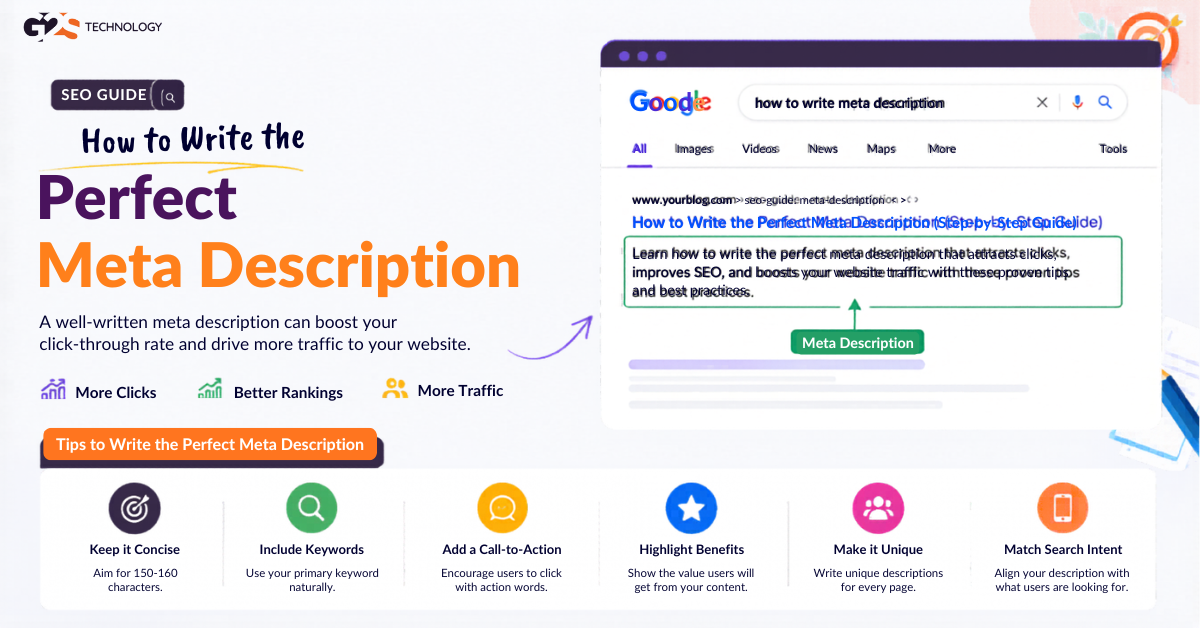
Google rewrites or ignores your meta description more than half the time — yet the times it keeps yours are often your best shot at earning the click. That single fact reframes the whole job: a meta description isn’t a ranking lever, it’s a conversion lever sitting on the search results page.
This guide explains what a meta description is, why it still matters in 2026, the current length rules, a step-by-step writing process, copy-and-adapt examples, and the mistakes that quietly cost you traffic. Everything here reflects how Google actually treats descriptions today, including where it doesn’t behave the way marketers wish it would.
What Is a Meta Description?
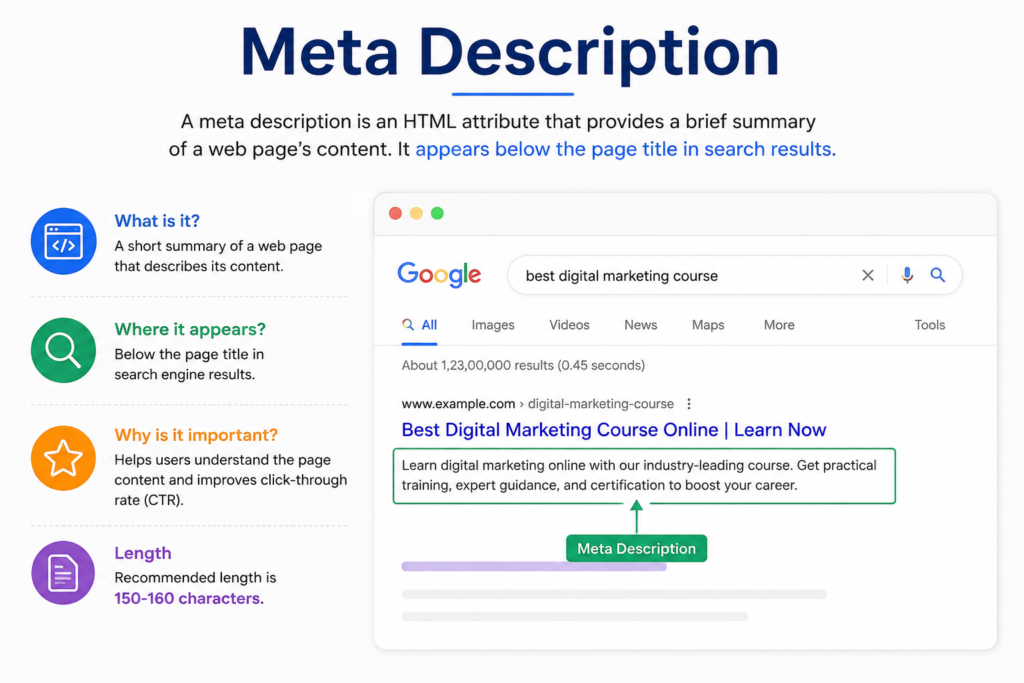
A meta description is an HTML element that gives a short summary of a web page’s content. It lives in the page’s <head> section inside the description meta tag, and search engines often display it as the snippet beneath your title in search results.
In plain terms: it’s the short paragraph a searcher reads before deciding whether to click your result or someone else’s. It also frequently appears as the preview text when your page is shared on social platforms and messaging apps, so its reach extends well beyond Google.
Here is roughly what it looks like in code:
<meta name=”description” content=”Your concise, compelling page summary goes here.”>
Does the Meta Description Affect SEO Rankings?
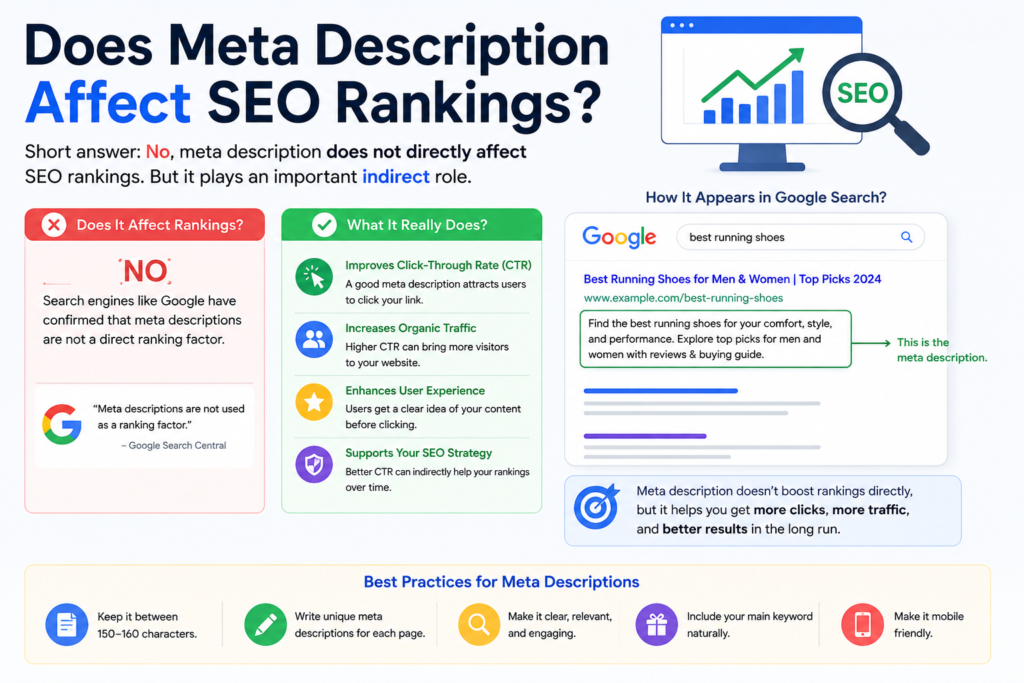
No — Google has stated for years that the meta description is not a direct ranking factor. It does, however, have a strong indirect effect, because it influences click-through rate (CTR), and how often searchers choose your result is a signal that matters.
Think of it this way: rankings get you onto the page; the meta description helps you win the click once you’re there. A page sitting at position five with a sharp, relevant description can out-earn a blander result above it.
Google’s own Search Central guidance on snippets confirms it uses the description tag for snippets but not for ranking — a useful, authoritative reference to keep handy.
Also Read This:-SEO Trends and Predictions
Why Meta Descriptions Still Matter in 2026
Some marketers argue meta descriptions are dead because Google often replaces them. That’s only half true. Google rewrites descriptions when it thinks a page-pulled snippet better matches the query — but for branded searches, head terms, and well-aligned pages, it frequently keeps yours. Writing a strong one stacks the odds in your favor.
There are three concrete reasons to keep writing them deliberately:
- Click-through rate: A compelling, relevant snippet earns more clicks from the same ranking position.
- Message control: Without one, Google grabs arbitrary on-page text that may not sell the page well.
- Social and AI previews: The description often becomes the share-card blurb and helps AI engines summarize your page accurately.
That last point matters more every year. As AI search engines summarize and cite pages, a clear, accurate description doubles as a clean signal of what your page is about — part of why our on-page SEO guide treats it as a core element rather than an afterthought.
How Long Should a Meta Description Be?
Aim for roughly 140–160 characters. Google truncates longer snippets, so the most important information and your call to action should land within the first ~150 characters.
This is worth a quick history note, because the original advice on this has aged. Years ago, descriptions of 180–200 characters were common. Google later tightened the displayed length, briefly experimented with much longer snippets, and settled back around the 155–160 mark. Mobile results often show even less, so front-load the value.
Practical rule: write the description so it still makes sense and still sells the page even if the last few words get cut. Don’t bury the call to action at the very end where it may never appear.
Also Read This:- 10 Reasons Why SEO Is Important for Your Business
How to Write the Perfect Meta Description: Step by Step
Here’s a repeatable process you can apply to any page.
Step 1: Identify the Page’s Core Promise
Before writing, answer one question: what will the reader gain by clicking? A meta description is an elevator pitch, not a summary for its own sake. Lead with the benefit or the answer, not background.
Step 2: Match Search Intent
Search the target keyword and read the top snippets. They reveal what searchers expect — a definition, a how-to, a comparison, a product. Mirror that intent. If the query wants a definition, open with one; if it wants steps, signal that steps are inside.
Step 3: Include the Primary Keyword Naturally
Google bolds query terms that appear in the snippet, which makes your result visually stand out. Include the page’s primary keyword once, naturally. As Wikipedia’s overview of meta elements notes, these tags describe page content — so the keyword belongs there because it’s genuinely descriptive, not as decoration.
Step 4: Write in Active Voice and Address the Reader
Active voice is clearer and more persuasive in a tight space. Start with a verb where possible and make the searcher the subject: “Learn how to…,” “Discover the…,” “Compare the top….” This addresses the reader directly and reads as a benefit, not a description of a document.
Step 5: Add a Clear Call to Action
Tell the reader what to do next: learn, discover, get, compare, start. A light CTA increases the sense that there’s a payoff behind the click. Keep it natural — it should read like a helpful nudge, not an ad.
Step 6: Keep It Unique and Honest
Every page needs its own description; duplicates confuse search engines and users. Just as important, the description must match the page. Overpromising earns a click and then an immediate bounce, which hurts the engagement signals you were trying to improve.
Meta Description Examples (Before and After)
Examples make the rules concrete. Here are common page types, rewritten the way the steps above suggest.
Example 1: Blog Post (How-To)
Weak: This article is about meta descriptions and some tips for writing them for your website.
Stronger: Learn how to write the perfect meta description with proven tips, length rules, and real examples. Boost your click-through rate today.
Example 2: Service Page
Weak: We offer SEO services for businesses of all sizes with experienced professionals.
Stronger: Grow organic traffic with data-driven SEO services tailored to your goals. Get a free, no-obligation strategy review to see what’s possible.
Example 3: Product / Category Page
Weak: Browse our range of standing desks available in different sizes and colors.
Stronger: Shop height-adjustable standing desks built for all-day comfort, with free shipping and a 30-day trial. Find your fit in minutes.
Notice the pattern: each stronger version leads with the benefit, includes the keyword naturally, addresses the reader, and ends with a reason to click — all inside the visible character window.
Common Meta Description Mistakes to Avoid
Most weak descriptions fail for predictable reasons. Watch for these:
- Keyword stuffing: Cramming keywords reads as spam and lowers clicks. One natural mention is enough.
- Duplicates across pages: Reusing the same description site-wide tells users nothing and confuses crawlers.
- Being vague or generic: “Welcome to our website” wastes the single best line of free ad copy you have.
- Overpromising: A snippet that oversells triggers fast bounces that undercut the click you earned.
- Ignoring intent: A clever line that doesn’t answer the query loses to a plain one that does.
- Leaving it blank: Then Google writes it for you — and it rarely sells your page the way you would.
How to Find Pages Worth Fixing First
You don’t need to rewrite every description at once. Prioritize for impact. In Google Search Console, open the Performance report and sort by impressions. Look for pages ranking in positions 5–10 with high impressions but low CTR — those are the biggest, fastest wins.
A page ranking around position seven that captures only a small share of available clicks is leaving traffic on the table. Improving its description is one of the highest-leverage on-page tasks available. For broader context, see our SEO services or explore our digital marketing services.
An Honest Limitation Worth Knowing
Here’s the part many guides skip: even a perfect meta description is not guaranteed to appear. Google rewrites snippets when it judges page text a better match for a specific query, and studies of large keyword samples have found it does this for the majority of results.
That isn’t a reason to skip the work — it’s a reason to be strategic. Write strong descriptions for your most important pages (money pages, high-impression posts, branded terms) where Google is most likely to keep them, and don’t agonize over low-priority pages where it usually won’t.
A meta description is your chance to convey the value of your page to the viewer — use it to tell the searcher exactly why your result is the one worth clicking.
Treated that way, the meta description stops being a box to fill and becomes one of the simplest, cheapest CTR improvements available in on-page SEO.
Your Questions, Answered
What is a meta description in simple terms?
A meta description is a short HTML summary of a web page’s content, usually shown as the snippet under your title in search results. Its job is to tell searchers what the page offers and persuade them to click. It also often becomes the preview text when your page is shared on social media. While it isn’t visible on the page itself, it’s one of the most visible pieces of text you control in search.
Is the meta description a Google ranking factor?
No, Google has stated for years that the meta description is not a direct ranking factor. However, it has a strong indirect effect because it influences click-through rate, and how often people choose your result is a relevance signal Google observes. So a great description won’t rank a page by itself, but it can earn more clicks from an existing position. That extra engagement can support performance over time.
How long should a meta description be in 2026?
Aim for roughly 140 to 160 characters. Google truncates longer snippets, and mobile results often show even less, so the key message and call to action should appear within the first 150 characters or so. Years ago longer descriptions of 180 to 200 characters were common, but Google tightened the displayed length. Writing concisely ensures your snippet still makes sense even if the end is cut.
Why does Google rewrite my meta description?
Google rewrites descriptions when it believes text pulled from the page matches a specific query better than your written tag. Studies of large keyword sets have found it does this for the majority of results. This is normal and not a penalty. The practical response is to write strong descriptions for your most important pages, where Google is most likely to keep them, rather than agonizing over every page.
Should every page have a unique meta description?
Yes. Every page should have its own unique description that accurately reflects that specific page. Duplicate descriptions across pages confuse both users and search engines and waste the chance to sell each page individually. For large sites, prioritize unique descriptions on your highest-value and highest-impression pages first. Lower-priority pages can follow as time allows.
Do meta descriptions matter for AI search engines?
Yes, indirectly. A clear, accurate description helps AI engines understand and summarize what your page is about, which supports how your content is represented in AI-generated answers. It works alongside clean structure and strong content rather than replacing them. The same clarity that helps a human decide to click also helps an AI engine cite your page correctly. Accuracy matters more than cleverness here.
What makes a meta description compelling?
A compelling meta description leads with the reader’s benefit, matches search intent, includes the primary keyword naturally, uses active voice, and ends with a clear call to action. It reads like a helpful nudge, not an ad, and it never promises more than the page delivers. Keeping it specific rather than generic is what separates a clickable snippet from a forgettable one. Testing different versions on key pages helps you learn what your audience responds to.