
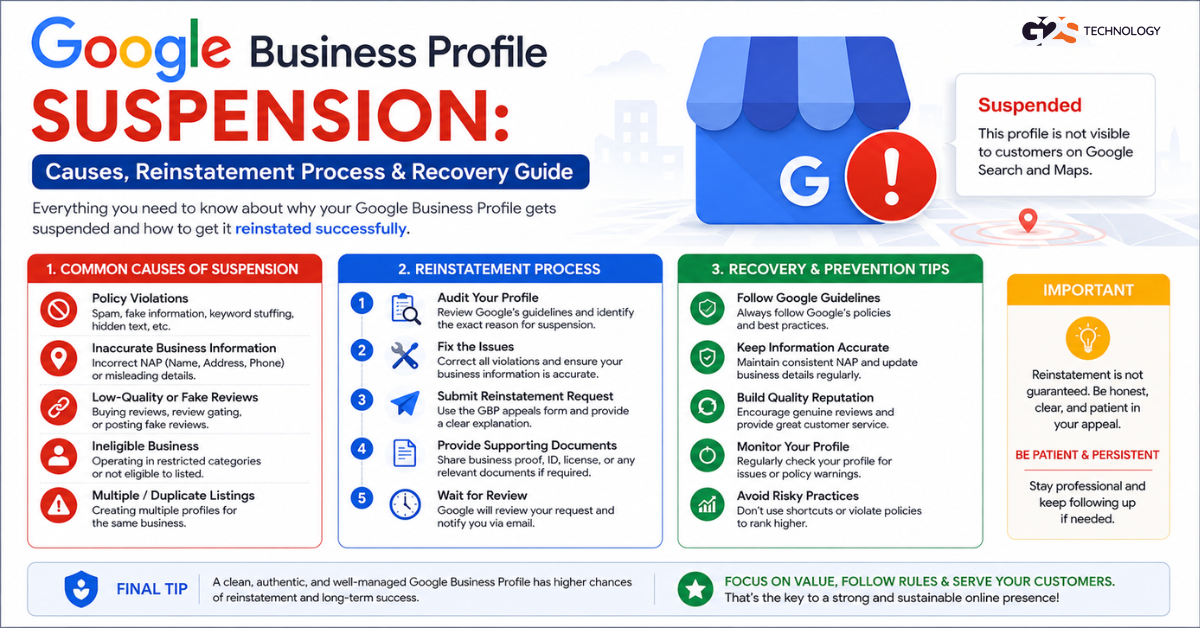
One morning, your Google Business Profile simply disappears from Maps. No warning. No email. Just gone.
I’ve seen this happen to local restaurants, law firms, clinics, and even well-established eCommerce brands. A suspended Google Business Profile (GBP) can wipe out local foot traffic, tank your calls, and damage trust overnight.
Yeh situation mujhe bahut baar dekhi hai — and the worst part? Most business owners don’t even know why it happened, let alone how to fix it.
In this guide, you’ll learn exactly why Google suspends Business Profiles, how to identify which type of suspension you’re dealing with, and step-by-step how to get your listing reinstated — fast.
What Is a Google Business Profile Suspension?
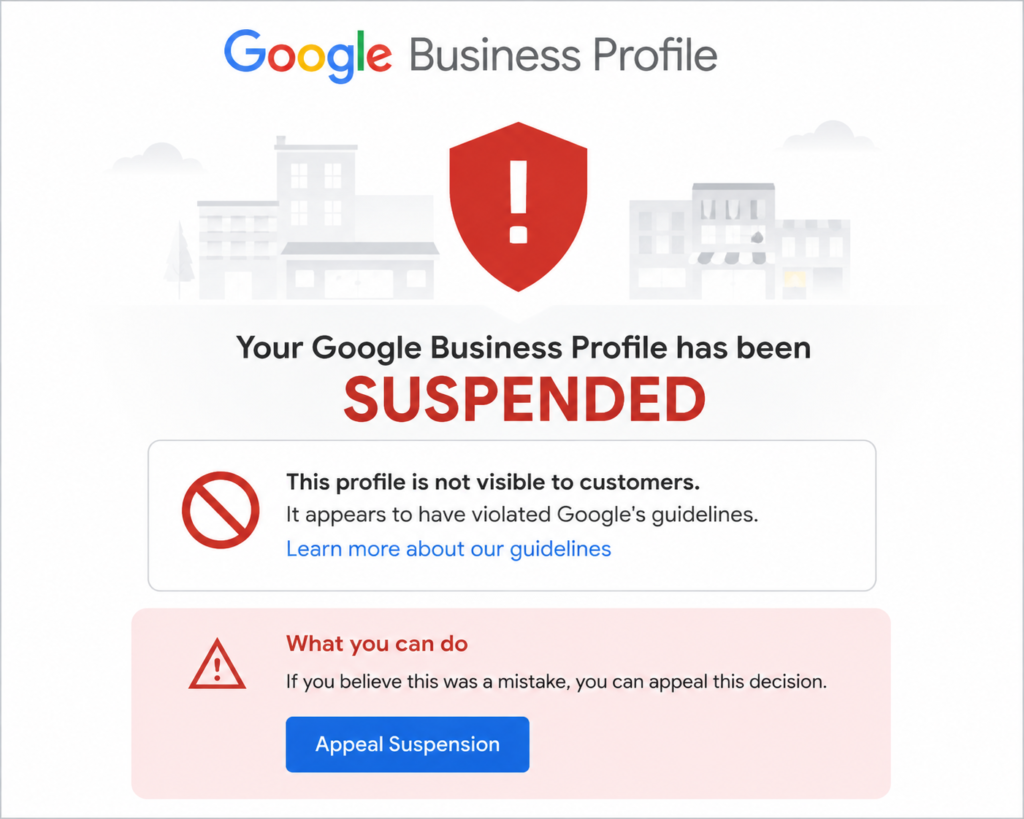
A Google Business Profile suspension occurs when Google removes or disables a business listing from Google Search and Google Maps due to a policy violation, suspicious activity, or unverified information.
There are two types of suspensions you need to know about:
- Soft Suspension (Unverified/Disabled): Your listing exists but is not visible to the public. Google has flagged it for review. This is less severe and often easier to resolve.
- Hard Suspension (Removed): Your listing is completely removed from Google. Searches for your business return nothing. This requires a formal reinstatement request.
The distinction matters. Misidentifying the type of suspension is one of the most common mistakes I see — and it wastes weeks of effort on the wrong solution.
If your listing is not suspended but simply not appearing in local search, that’s a different problem. Read our detailed breakdown on why your Google Business Profile isn’t showing in search results for common causes and quick fixes.
Why Does Google Suspend a Business Profile?
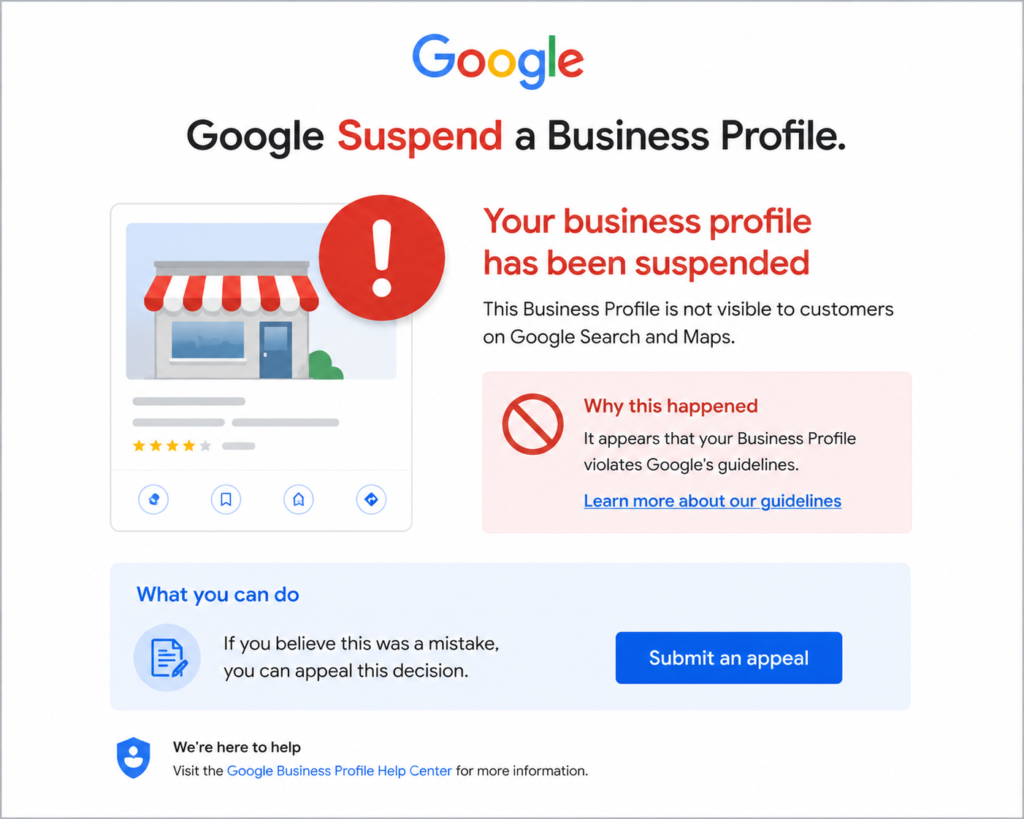
Google’s suspension policies exist to protect users from spam, fake listings, and misleading information. But honest businesses often get caught in this net too.
Here’s what triggers suspensions — drawn from 10+ years of handling these cases:
1. Policy Violations
- Business name includes keywords, location, or promotional text (e.g., “Best Dentist Delhi | Dr. Sharma” instead of just “Dr. Sharma’s Dental Clinic”)
- Using a P.O. Box, virtual office, or UPS Store address as your business address
- Operating a service-area business but showing a location address you don’t actually staff
- Multiple listings for the same location or business owner
2. Suspicious or Inconsistent Information
- Business details (name, address, phone) don’t match your website or other directories
- Sudden bulk changes to your profile — name, phone, address all changed at once
- A new Google account just verified and aggressively edited the profile
3. Fake Review Activity
- Flagged for purchasing reviews or receiving an unusual spike in 5-star reviews
- Competitor reported your listing with enough volume to trigger a review
4. Unverified or Expired Verification
- You changed your address but never re-verified the new location
- Google’s periodic re-verification requests were ignored
5. Third-Party Flags
- Users or competitors repeatedly flagged your listing
- Google’s automated systems detected your profile matches a known spam pattern
Main yeh isliye bol raha hoon kyunki — most suspensions are preventable. The mistake is usually made before the suspension, not after.
How to Confirm Your GBP Is Suspended (and Which Type)
Before you do anything, confirm the exact situation. This saves you from wasting days on the wrong process.
- Check Google Maps: Search your exact business name. If it doesn’t appear, or shows “Claimed by owner” but not publicly visible, you likely have a suspension.
- Log in to your GBP dashboard: Go to business.google.com. If you see a red banner or a “Suspended” label next to your listing, that’s your confirmation.
- Check your email: Google sometimes sends suspension notices to the account owner’s Gmail. Search for “Google Business Profile” in your inbox.
- Use the Google Business Profile Status Tool: Google provides a lookup at support.google.com to check listing status. Worth bookmarking.
Once confirmed, note whether it’s a soft or hard suspension. This determines your next step.
Step-by-Step: How to Reinstate a Suspended Google Business Profile
The good news? This is fixable. But it requires patience, precision, and doing things in the right order.
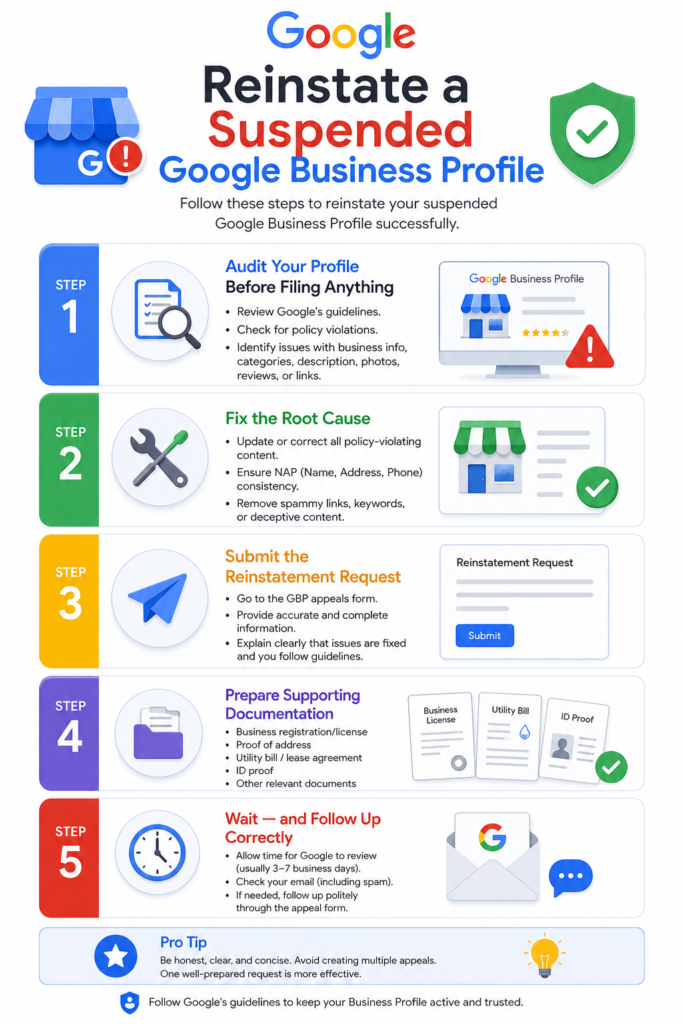
Step 1: Audit Your Profile Before Filing Anything
Filing a reinstatement request with a policy-violating profile is one of the biggest mistakes I see. Google will reject it, and you’ll lose time.
Before touching the reinstatement form, review every field:
- Business Name: Must match your legal name or signage exactly. No keywords, no city names, no taglines.
- Address: Must be a real, staffed, physical location. Service-area businesses should hide their address.
- Phone & Website: Must match what’s on your website, social media, and other directories.
- Category: Choose the most accurate primary category. Avoid irrelevant additional categories.
- Photos: Remove stock images or anything that doesn’t represent your actual business.
If you want to optimize every section of your GBP the right way, our guide on how to optimize your Google My Business Profile for maximum local SEO results walks through all 10 elements in detail.
Step 2: Fix the Root Cause
Once you’ve identified what triggered the suspension, fix it — even before submitting your appeal.
If your business name had keywords, clean it. If your address was a virtual office, update it to your real location. Agar aapne koi shortcut liya tha listing banate waqt — woh ab fix karna hoga.
Step 3: Submit the Reinstatement Request
Go to the Google Business Profile Help Center and find the reinstatement request form. This is the official path Google requires for hard suspensions.
When filling out the form:
- Be factual and brief. Don’t write a novel.
- Explain the issue clearly: what happened, what you fixed, and why your listing complies with policy now.
- Avoid emotional language — Google reviewers look for policy compliance, not sympathy.
Step 4: Prepare Supporting Documentation
Google may ask for proof that your business is legitimate. Be ready with:
- Business registration certificate or GST certificate
- Utility bill showing the business address
- Photos of your physical storefront, signage, and interior
- Any government-issued license relevant to your industry
I’ve seen reinstatement timelines cut in half when businesses provided solid documentation upfront, without waiting to be asked.
Step 5: Wait — and Follow Up Correctly
Google’s reinstatement review can take anywhere from 3 to 14 business days. During this time:
- Do NOT submit multiple reinstatement requests for the same listing. This resets the queue and delays your case.
- Do check your email daily — Google may ask for additional documentation.
- If two weeks pass without a response, use the Google Business Profile Community Forum to escalate through a Product Expert.
What If Your Reinstatement Request Gets Rejected?
It happens. And it’s not the end.
I’ve seen businesses get rejected on the first appeal and successfully reinstated on the second — because they submitted stronger documentation and addressed the exact issue Google flagged.
Here’s what to do after a rejection:
- Read the rejection notice carefully — Google usually gives a reason, even if vague.
- Re-audit your profile against Google’s GBP policies.
- Address any remaining issues.
- Wait at least 7 days before resubmitting — submitting too quickly often leads to another auto-rejection.
- If you’re stuck, consider reaching out to a GBP Product Expert on the community forum, or work with a professional GMB optimization service that has handled reinstatement cases before.
Agar aapki listing ek baar mein reinstate nahi hui, toh discouraged mat hona. Persistence, paired with correct information, works.
How to Prevent Future Google Business Profile Suspensions
Getting reinstated is one problem. Staying reinstated is another. Here’s what I recommend to every client after we recover their listing:
- Never edit your business name, address, and phone simultaneously. Do one change at a time, spaced out.
- Keep NAP (Name, Address, Phone) consistent across your website, GBP, social media, and local directories.
- Verify any address change immediately. Google sends a postcard. Use it.
- Monitor your listing weekly for unauthorized edits — Google allows public users to suggest changes.
- Respond to reviews professionally and report suspicious negative review spikes to Google.
- Avoid buying reviews or using review gating. It’s not worth the risk.
To understand how GBP fits into your broader local presence, read our guide on local SEO ranking factors that directly impact your Google Maps visibility. Your GBP is just one piece of the puzzle — NAP consistency, citations, and reviews all play a role.
And if you’re relying only on GBP for local visibility, you might be limiting your reach. Our comparison of Google Business Profile vs. other local listing platforms explains when and why to be present on Bing Places, Yelp, and industry directories too.
A Real Pattern I’ve Seen Too Many Times
I’ve worked with businesses across India — from a single-location Jaipur retailer to a multi-city D2C brand. And the Google Business Profile suspension pattern is almost always the same:
Someone in the team edited the listing name to add keywords. Or the business moved offices and updated the address in a hurry. Or a freelancer created a duplicate listing to rank faster.
Yeh mistakes almost har case mein common hain. And the frustrating part is that these businesses had great products, happy customers, and genuine operations — but a small technical violation cost them weeks of local visibility.
If you’re managing your own GBP, take 30 minutes today to audit your listing against Google’s policies. And if your listing is already suspended, don’t wait — the longer it stays down, the harder it becomes to recover in search rankings.
Our team at G2S Technology has helped dozens of Indian businesses recover suspended listings and rebuild their local SEO. If you need hands-on support, explore our Local SEO services in India or get in touch directly — and we’ll review your situation.
Key Takeaways
- Confirm whether your suspension is soft (invisible) or hard (removed) before acting.
- Fix policy violations in your profile before submitting a reinstatement request.
- Prepare strong documentation — business registration, address proof, photos.
- Submit one reinstatement request and wait. Multiple submissions delay the process.
- After recovery, audit your listing regularly and keep NAP consistent everywhere.
FAQ Section
Q1: How long does it take for Google to reinstate a suspended Business Profile?
Google typically reviews reinstatement requests within 3 to 14 business days. Complex cases or those requiring documentation verification may take longer. Avoid submitting multiple requests, as this resets the review timeline.
Q2: What is the difference between a soft suspension and a hard suspension on Google Business Profile?
A soft suspension means your listing exists but is not publicly visible — it’s under review. A hard suspension means your listing has been completely removed from Google Search and Maps. Hard suspensions require a formal reinstatement request, while soft suspensions may resolve by re-verifying your business details.
Q3: Can I create a new Google Business Profile if my old one is suspended?
Creating a new listing for a suspended business is against Google’s policies and can result in the new listing being suspended as well. Work through the reinstatement process for your existing listing instead of creating a duplicate.
Q4: What documents does Google accept for GBP reinstatement?
Google accepts business registration certificates, utility bills showing your business address, government-issued licenses, and photos of your physical storefront and signage. Stronger documentation typically leads to faster reviews.
Q5: Will my Google reviews be lost after reinstatement?
In most cases, your reviews are retained after reinstatement — they are linked to the listing, not removed. However, in some hard suspension cases where a listing is permanently removed, review recovery may not be possible. This is another reason to act quickly.
Q6: Can a competitor get my Google Business Profile suspended?
Yes, competitors can flag your listing, and if the complaints are significant enough in volume, Google may suspend your profile pending review. Maintaining full policy compliance is your strongest protection — a compliant listing is much harder to successfully flag.
Q7: How do I contact Google Business Profile support for suspension issues?
You can reach Google Business Profile support through the GBP Help Center. You can also post in the GBP Community Forum where Google Product Experts can help escalate complex cases. For professional help, contact G2S Technology’s GMB team for a review of your specific suspension case.